Learn about the Dentally Community
Recently active
How to use Tags on your postsThis article will show you how to use tags on your posts, helping you categorise your content and make it easier for others to find. Step 1: Locate the Tags SectionWhen creating a new topic, scroll to the bottom of the post creation form. You'll see a section labeled "Tags". Step 2: Adding TagsYou have two options for adding tags:a) Click on the "Tags" button to view a list of all available tags.b) Start typing in the tag field, and the system will suggest matching tags. Step 3: Selecting TagsChoose tags that best describe your post's content. You can select multiple tags for each topic. That’s it! Tips for Effective Tagging:Use relevant tags that accurately reflect your post's content. Aim for 1-3 tags per post for optimal organisation.Why Use Tags?They help other users find your posts more easily. Tags organise discussions across the community. You can quickly find topics that interest you by searching or clicking on tags.Remember, thoughtful tagging he
General settings for notifications How to unsubscribe from posts and subforumsYou've probably noticed that you receive an email notification when someone replies to a post that you’ve started or been active in. If you would like to turn off these notifications, simply follow the steps below. You receive notifications of topics or subforums that you have selected as Favourites. Posts you have started are set as Favourites by default, but you can change this in the settings on your Profile page: Note: This will not unsubscribe you when you have subscribed to an entire subforum. Should you receive notifications for new topics in a specific subforum, then you will have to visit this subforum and click on "unsubscribe" in the top right corner of the subforum overview. Unsubscribe to specific topics You can also do this for an individual topic by clicking the "subscribe" button at the bottom of the post. It stays grey to indicate that you're not subscribed to that topic. The Community Team
How to report inappropriate contentThis article will show you how to report inappropriate content to a Community Moderator. Should you come across a topic or a comment that you think needs to be reported, click on the three dots on the bottom right of a post and click "Report". Cases in which topics or comments should be reported:Any prohibited content including: Irrelevant content Spam Nudity and sexually explicit material Harassment or violent behaviour Hate speech Impersonation Private and confidential information (PII) Copyright infringing material Child exploitation content Malicious or deceptive content Content depicting illegal activities Any other content that conflicts with our Terms and Conditions If you are uncertain whether or not you should report a topic or a comment, then please report it anyway. A Community Moderator will check your report as soon as possible and decide further steps if necessary. For any urgent or specific queries, requests to change your
How to start a new topicThis article will show you how to start a new post on the Dentally community. Note: Please use the search function on the main page first to see if your question is already being discussed in an existing topic. Finding the right place for your topic First, you will have to select the correct category for your question or conversation. Once you are in the right category, you can simply click "Create post" next to your profile picture: ` Choose if your post is a question or a feature request Decide if your topic is a question or a feature request. A feature request allows you to involve the community and our product team in a discussion, whereas questions allow you to mark a reply from another user as the answer. This will help other users who are having the same question to find the solution quicker. Create a title Now you will have to define a title for your post. Choose a title that is short yet descriptive; it should summarise what your topic is about and in
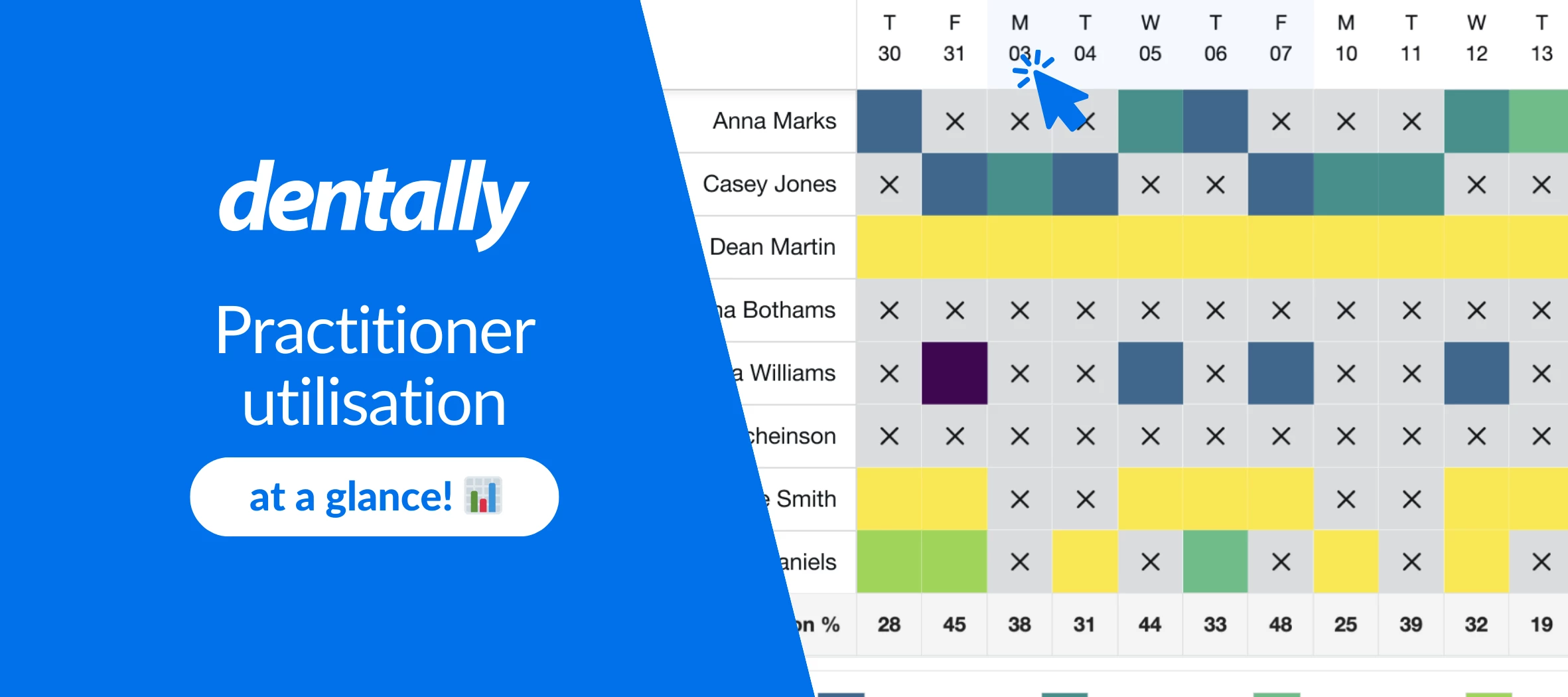
Optimise your diary with the practitioner utilisation dashboardAs a dental practice, keeping the diary full is one of your biggest priorities. And here at Dentally, we understand it can be a challenging and time-consuming task. That’s where the practitioner utilisation dashboard comes in. Practitioner utilisation, at a glance This new dashboard allows you to quickly visualise diaries through colour-coded blocks, up to four weeks in advance. You can view the percentage of a day that each practitioner is booked, making it easy to swiftly identify underutilised time slots and take proactive measures to fill it. From the main Dentally dashboard, simply click the dropdown in the top left corner and change it to ‘Analytics’ to find your personalised practitioner utilisation dashboard. The colours indicate how much of the practitioner’s day is occupied with bookings. The darker the block, the busier their diary is. You’ll also see an overview of your whole practice’s utilisation at the bott
As we wrap up our series on Dentally's Customer Success Programme, we understand that dental practices are facing unique challenges in today's fast-paced world. With increasingly limited time and resources, it can be difficult to focus on business growth. Our Elevate Programme is designed specifically for practices like yours, with the goal of making customer success and business growth easily achievable, even in challenging times. We've seen it in action, and the evidence is overwhelming. Our Elevate consultants have helped numerous practices overcome obstacles, streamline operations, and achieve remarkable results.Today we share just one of these stories from one of our partner practices: Taylored Dental Care. Their experience with Dentally and the Elevate Programme showcases the true impact of our working alongside one of Dentally’s Customer Success Consultants, David Rutherford, on their day-to-day workflows. Let's delve into their story to discover how Dentally has transformed the
Ellie Bot is your own personal support assistant who is always available 24/7 to assist you in answering your queries via Live Chat in Dentally. Ellie Bot is here to make your life easier by providing quick and accurate answers to your questions whenever you need them. To get the best responses from Ellie Bot, it’s important you know how to communicate effectively with this tool, here are some best practices to help you get the most out of your interactions with Ellie Bot. Be specific When asking questions, the more details you provide, the better Ellie Bot can assist you. Vague questions can lead to general or incomplete answers. Instead of asking, "How do I create a template?" be specific and ask, "How do I create a new treatment plan template?" This helps Ellie Bot understand exactly what you need so they can provide the best answer first time round! Ask for regional-specific answers Different regions can have different procedures and regulations. If you need information that mi
Already have an account? Login
No account yet? Create an account
Enter your E-mail address. We'll send you an e-mail with instructions to reset your password.