

Suggestions for improvement to Email Correspondance

  • June 9, 2026
  • 9 replies
  • 74 views

BCDC2023
Crowned Member
Forum|alt.badge.img+10

 ​@Hebe Lowen 

Hi

Can I pls make some suggestions for improvement to the Dentally email screen - is it best listed here or on a fresh thread?


  1. Can we have the ability to pin emails please which are important and need to be worked on otherwise they fall down the list as new emails come in and get forgotten
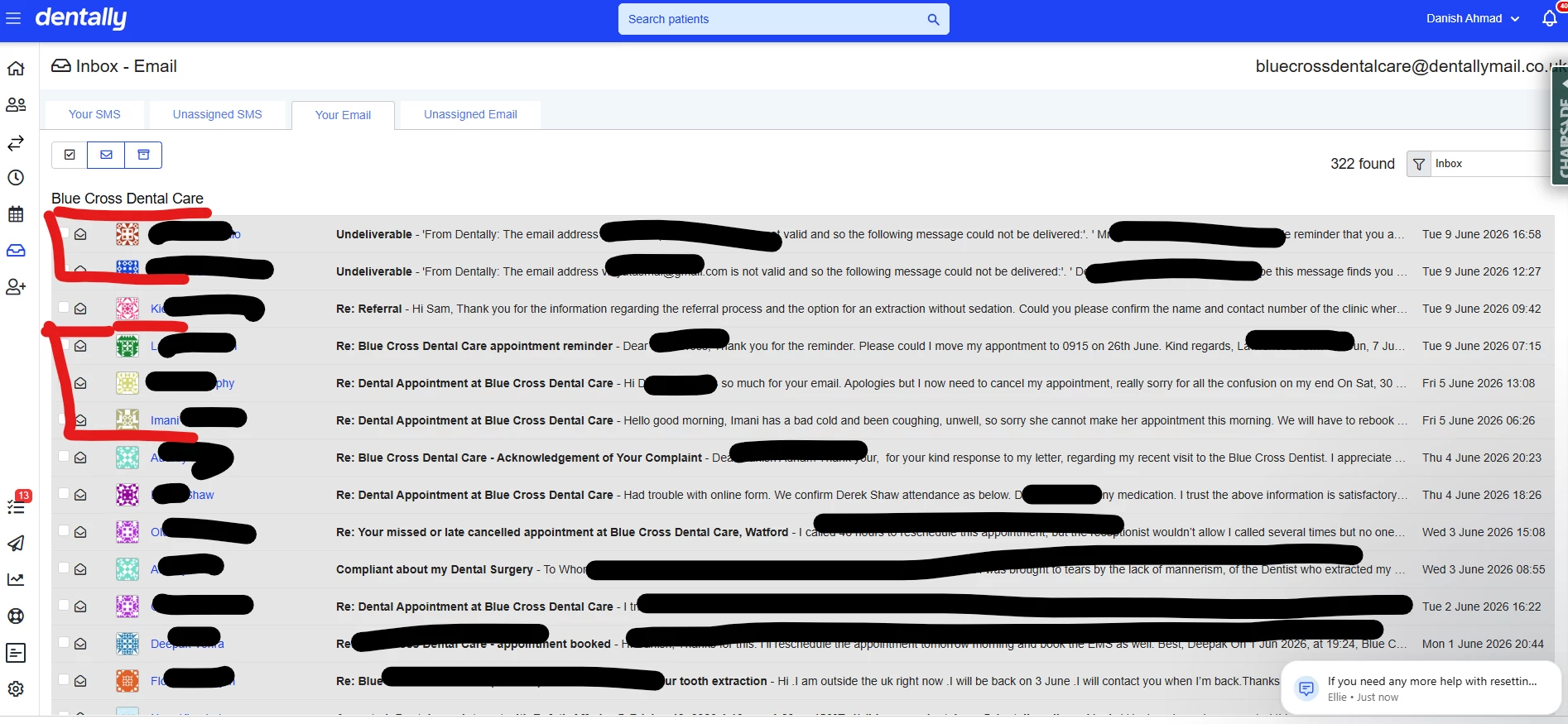


  1. Can we have the ability to assign emails as tasks to team members to action?
  2. Please introduce spell check and grammar check options into emails before we send them
  3. Let’s have the ability to have a list of emails without showing the one line content on the screen, and have a view like Gmail or Outlook where you can preview the message in the lower pane of the screen and toggle on the upper part of the screen with the keyboard up and down arrow to reach emails.
  4. Can we have the ability to view or filter messages which were manually sent by a staff member to a patient for important matters compared with hundreds of automatic emails sent out.  It makes it extremely difficult if not impossible to find email that were manually sent (esp when switching between inbox / sent items / archived drop down
  5. Please can be have the ability ro create and add #Tags or Google style labels to email, it makes for excellent filtering and finding of emails and similarly, flagged emails
  6. Introduce a “Find message or find email” search feature.  If we know the email address of someone, I want this Dentally mail to funcion like my regular email and search for items
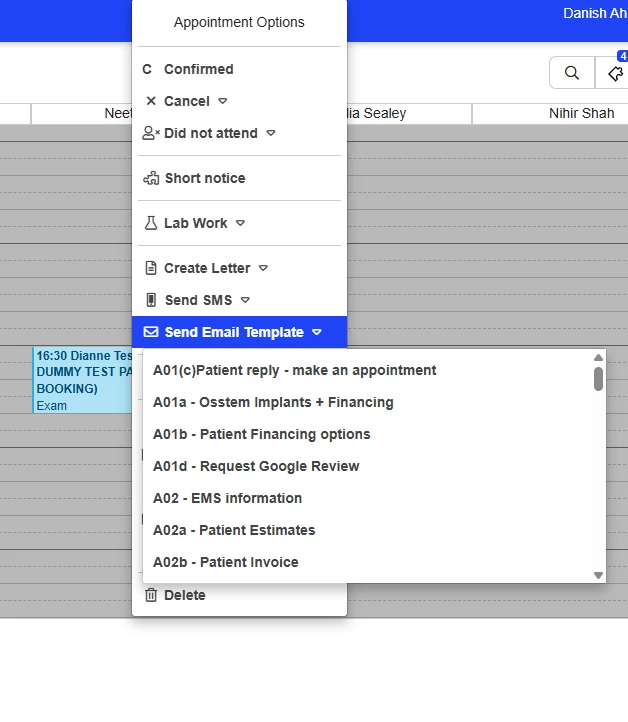
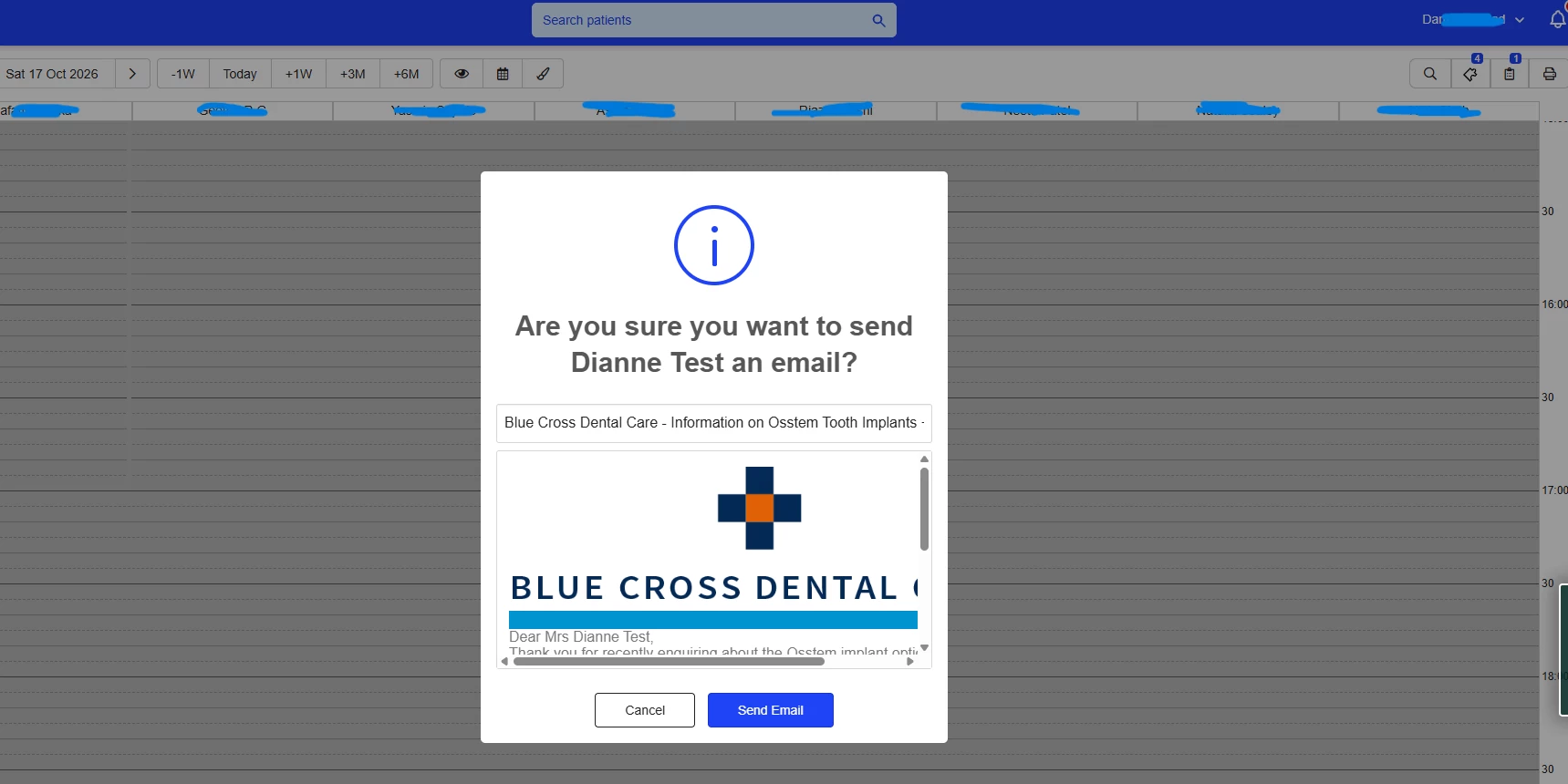
  7. Have the ability to send emails directly from the appointment screen just like you can send sms confirmation msgs from the appointment screen.  We send more emails than text and prefer this option when right clicking and selecting send mail.
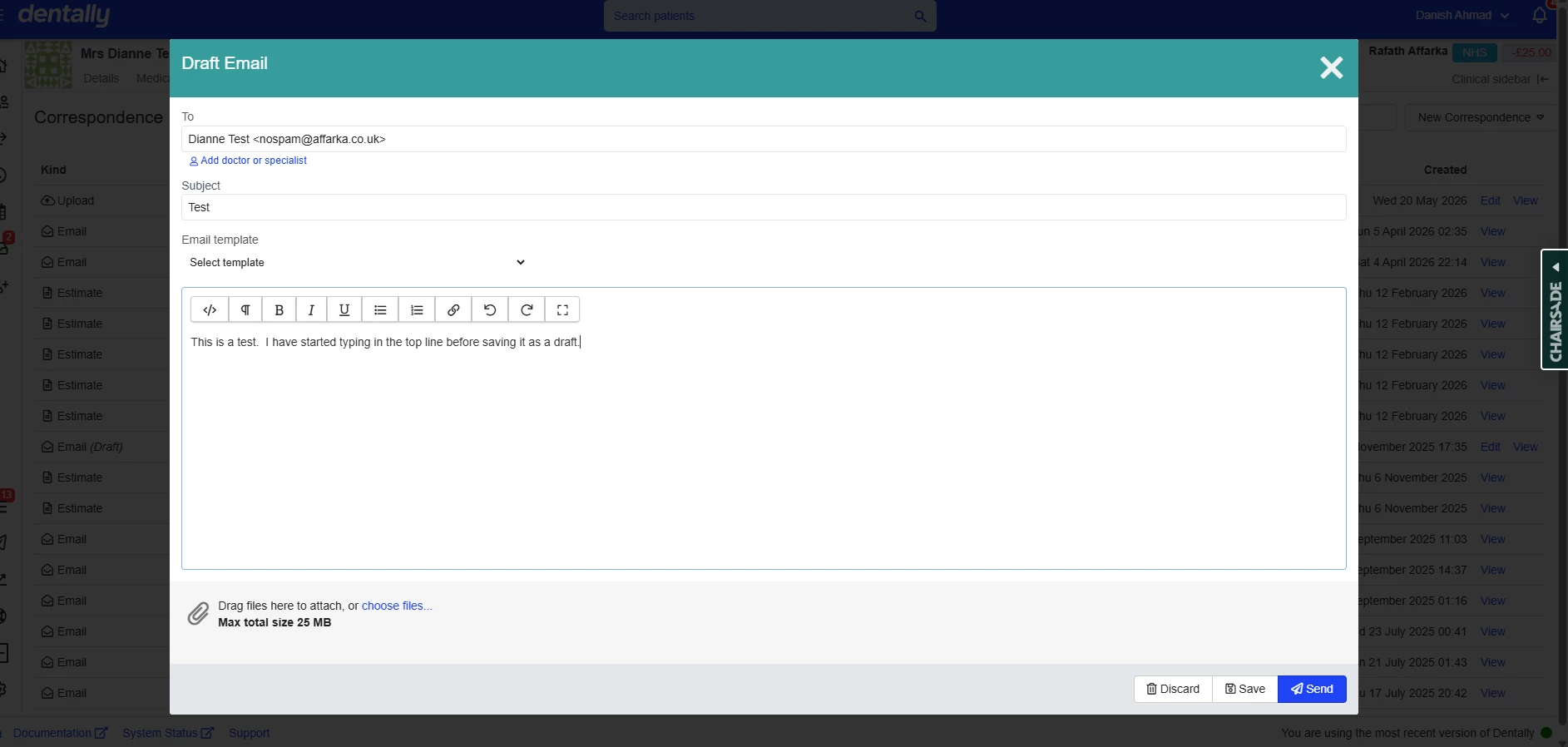
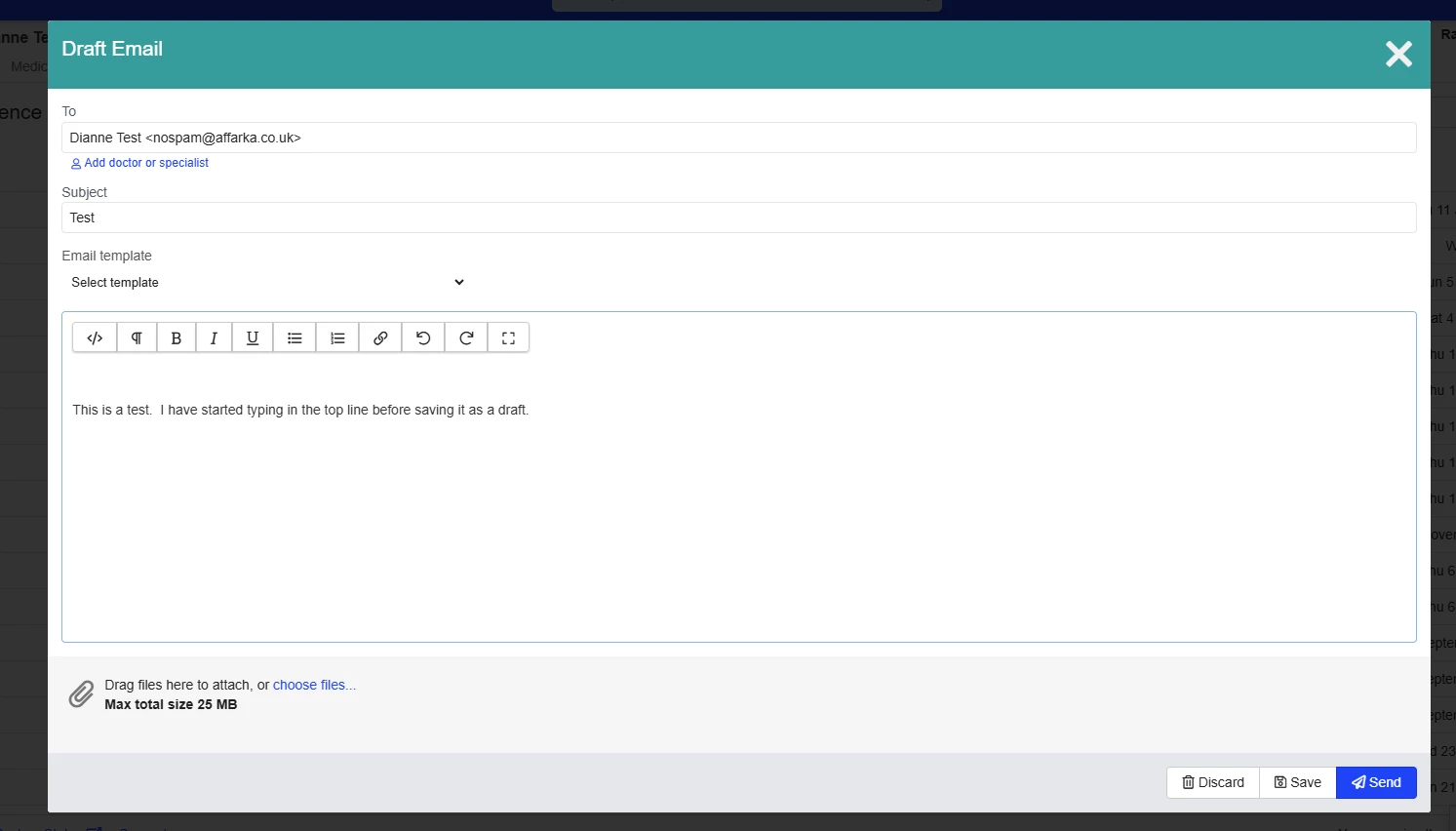
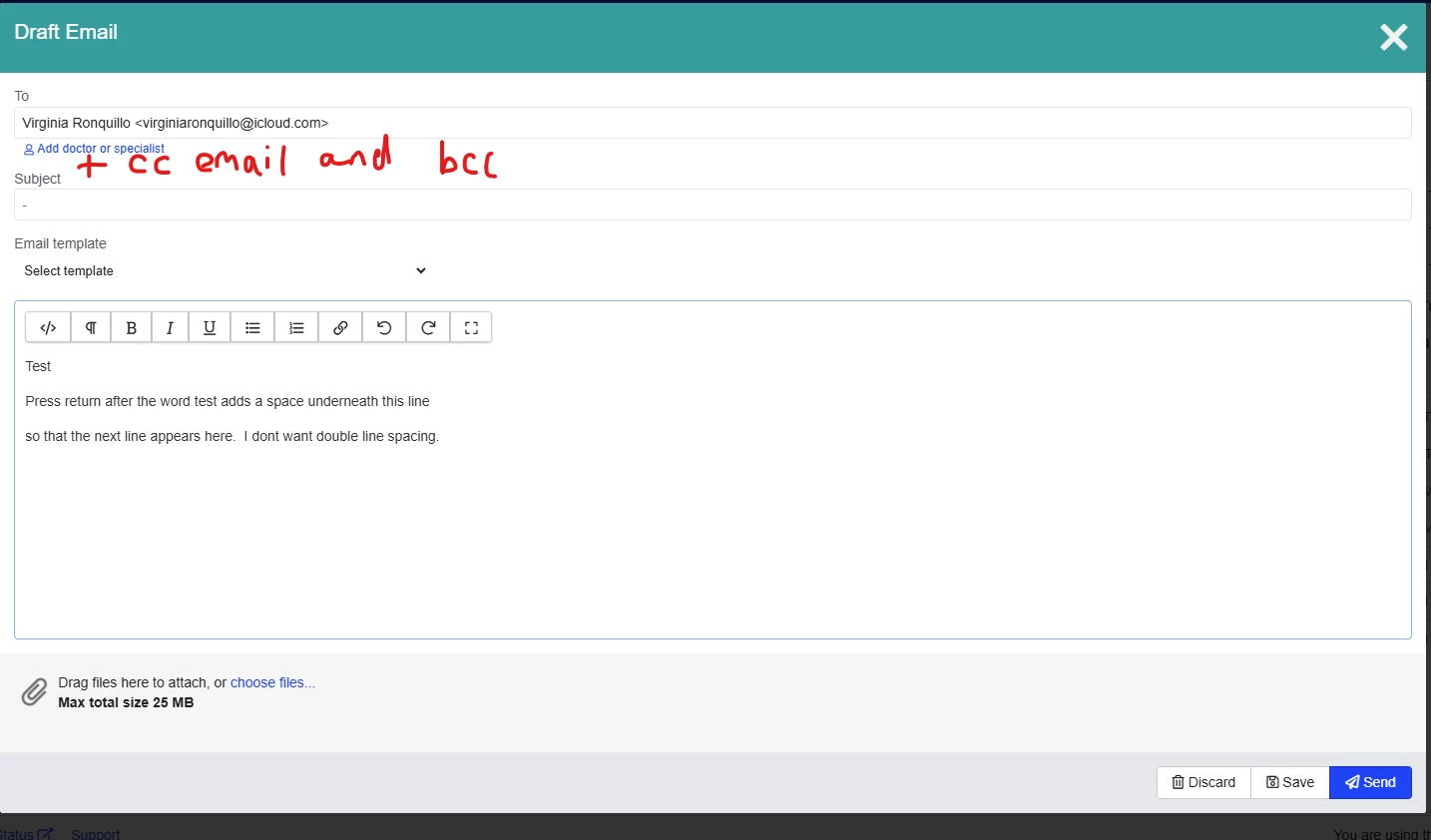
  8. When drafting an email and then saving it, when going back to the email some time later by clicking view, it adds extra spacing at the top - unwanted formatting automatically appearing.  See below
  9. Please add the ability to cc and bcc other people - see below


Thanks.


Regards


Danish

9 replies

Hebe Lowen
Community Manager
Forum|alt.badge.img+10
  • Community Manager
  • June 10, 2026

Thanks Danish, I’ll ensure all of this is fed back to the product team!


Hebe Lowen
Community Manager
Forum|alt.badge.img+10
  • Community Manager
  • June 10, 2026

@BCDC2023 for point 9 in your list, if you think this is a bug/defect, I’d advise please raising it directly with the support team so they can look into it/see examples. The rest I have raised as feature requests 😊

Thanks again for taking the time to provide such detailed feedback!


BCDC2023
Crowned Member
Forum|alt.badge.img+10
  • Author
  • Crowned Member
  • June 11, 2026

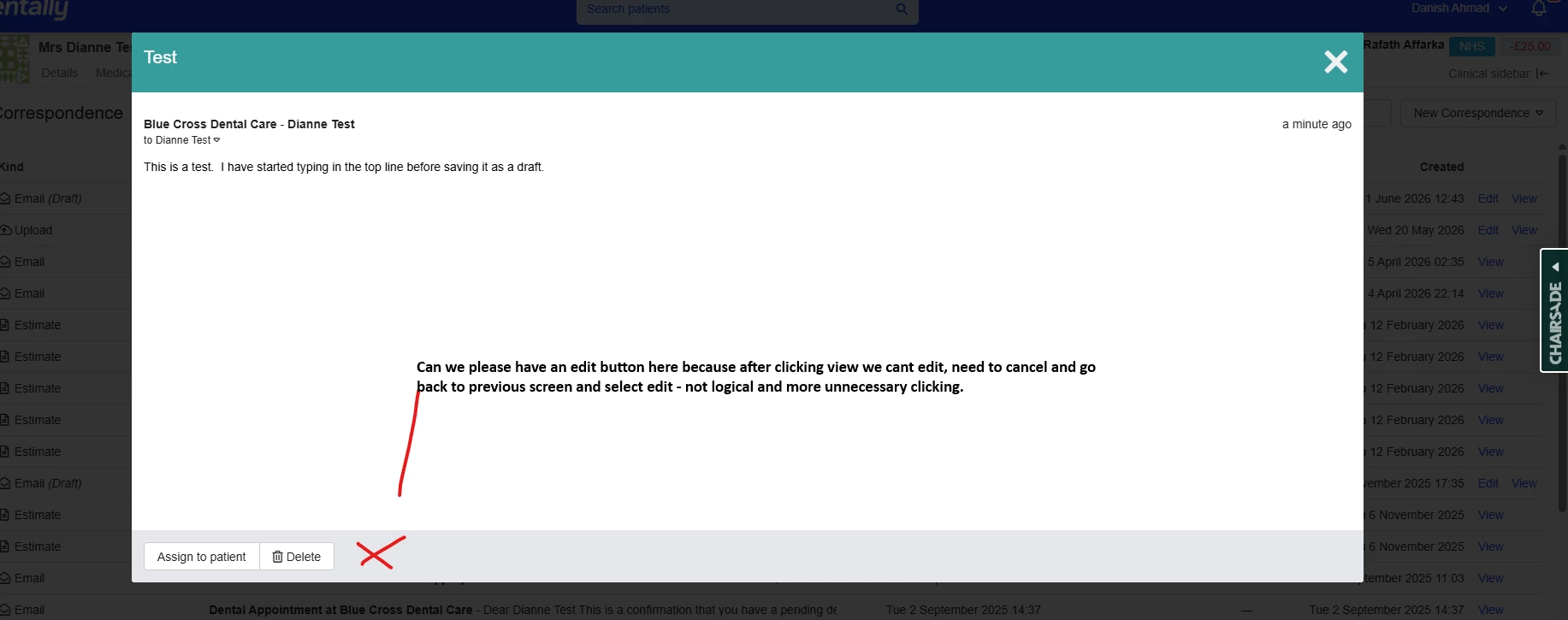
Thanks, I’ve shown the issue here for reference but I will report it on the other link as well, it’s minor but nevertheless it stll adds space at the top which needs to be deleted each and every time we save a draft email.  However can I add to the feature list by requesting that an edit button is also positioned on the email when clicking on VIEW an existing draft, makes it easier than having to do more clicks and closing it and then selecting edit again.  More logical the way I described it.  Pls see last image below, thanks.


SUGGSTION FOR EDIT BUTTON WHEN VIEWING AN EXISTING DRAFT EMAIL


Hebe Lowen
Community Manager
Forum|alt.badge.img+10
  • Community Manager
  • June 11, 2026

Thanks Danish that’s a great suggestion, I’ve added a feature request for that too

I’d advise raising the spacing issue directly with support as it may require investigation - I can definitely see why it would be frustration but they can check whether it’s specific to you, and if it is a bug they can raise it.

Thanks again for taking so much time to provide insight!


BCDC2023
Crowned Member
Forum|alt.badge.img+10
  • Author
  • Crowned Member
  • June 18, 2026

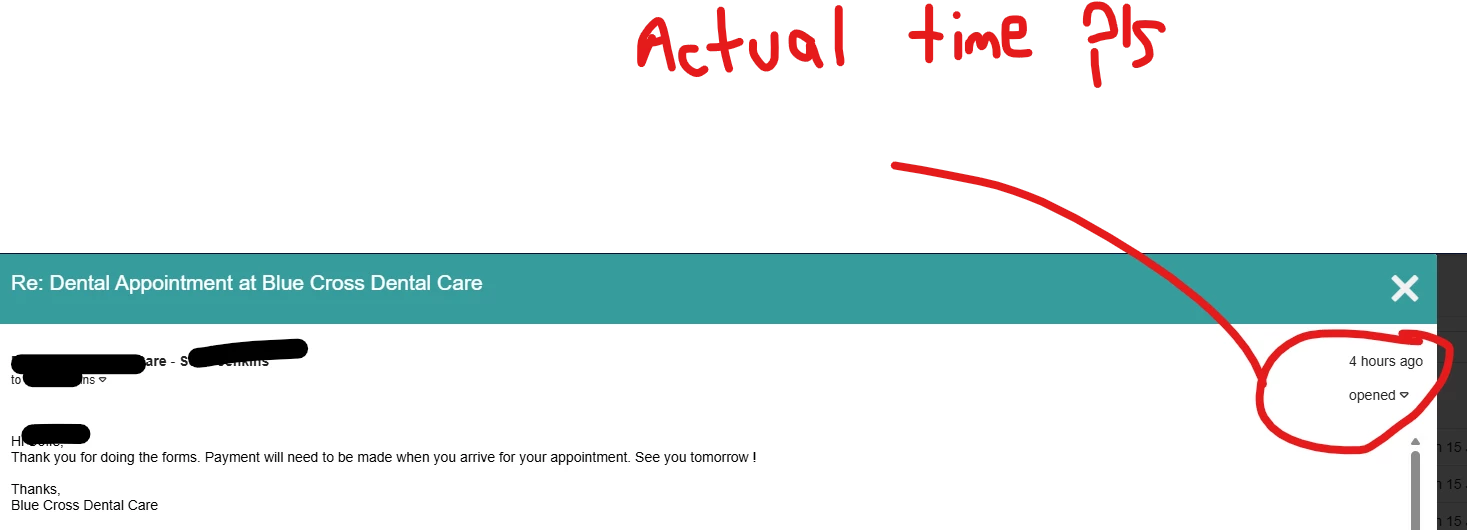
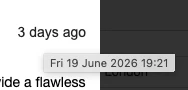
Also could we please have improvements to the time stamps, not sure why someone has decided not to use normal convention of displaying the time an email was received and sent rather than how long ago.  Let’s stick to normal conventions please and reinstate the time.  Thanks.


BCDC2023
Crowned Member
Forum|alt.badge.img+10
  • Author
  • Crowned Member
  • June 21, 2026

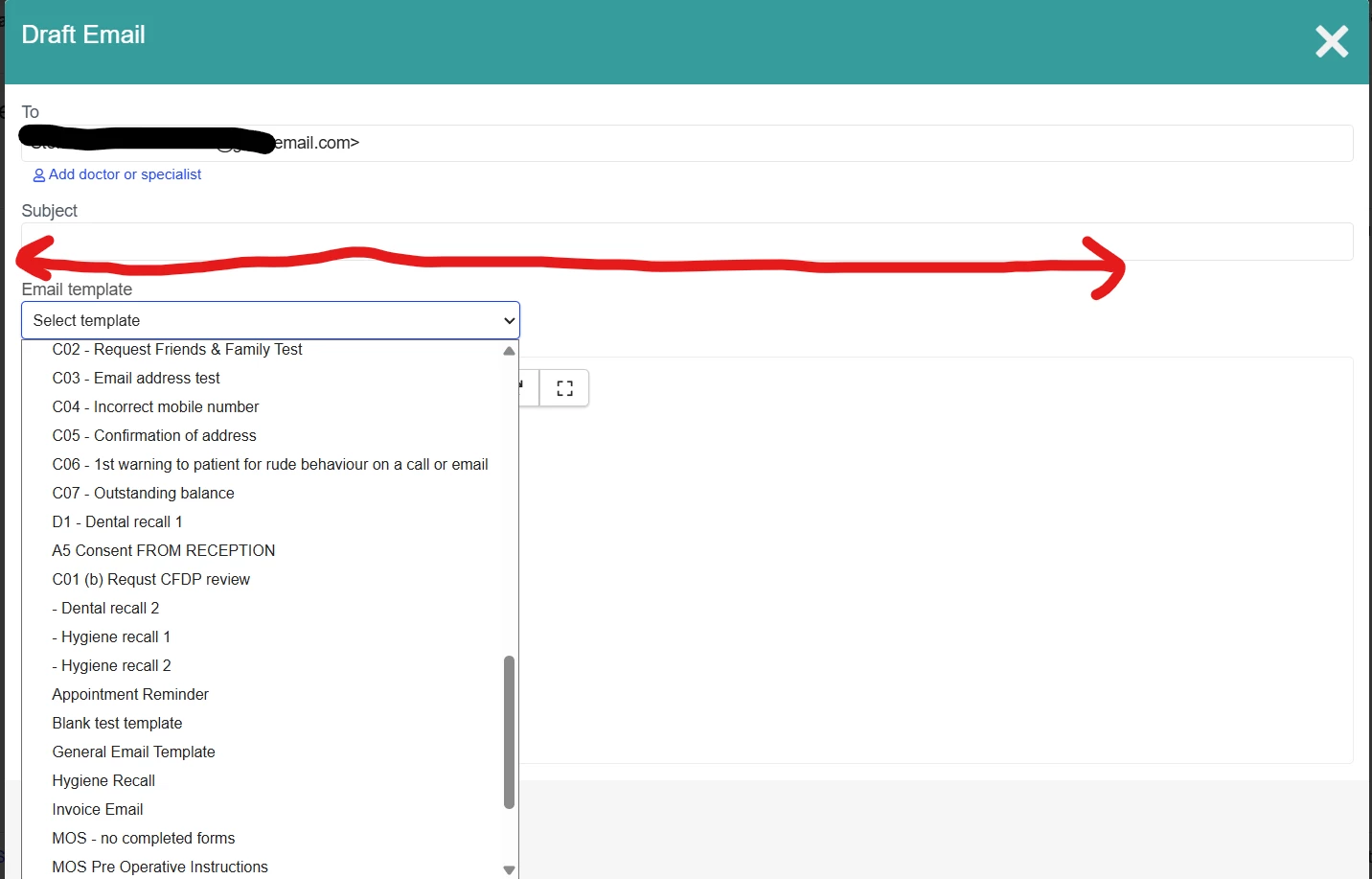
TEMPLATE LIST WIDTH OF DROP DOWN


Please also increase the width of the email template drop down so that we can see long names of templates as per image below.  If we can increase the visibility of all the templates that would be helpful.  

Also more importantly, could we please have improved control over the the ordering of lists and alphabeticalistion of the names.  I have to devise an awquard naming convention with the use of spaces and A1, B2,  etc just to get our important templates at the top?  I would love colour coding of different templates so they are easier and quicker to find e.g. appointment related templates all green, information for patient templates yellow etc and also a line separator between different sections of the list.

We are able to prioritise appointment types in the settings, please can we do the same here.


Hebe Lowen
Community Manager
Forum|alt.badge.img+10
  • Community Manager
  • June 22, 2026

Thanks ​@BCDC2023 for the additional feedback.

Regarding the template list, I can understand the difficulty and have raised a feature request!

On the timestamp, I just wanted to clarify a couple of things:

  • The product team have confirmed that this has always been the case (it’s not a new thing), however they understand that it may benefit from some more thought - I have raised this as a feature request too.
  • In the interim, you can hover over the “x minutes/days ago” and it will display the exact timestamp (see image below), though we understand this is more time-consuming.


BCDC2023
Crowned Member
Forum|alt.badge.img+10
  • Author
  • Crowned Member
  • June 25, 2026

@Hebe Lowen 


Thanks, that’s correct its been the case for a while but it’s not logical - if we need to take a screenshot to use for evidence for a purpose, we can screenshot the time.  


Forum|alt.badge.img+4
  • Enthusiast
  • June 30, 2026

the spacing happens me too. not the biggest deal but you have to remove it if you want your email to look as you intended. Just a small thing but just so you know its not just yours