Hi Dentally team,
We noticed that our existing patients couldn’t book a recall online, so we tried to correct this.
However, in our practice, we have the patients of the lead dentist being seen by our OHT with adult scope.
Therefore we had to ‘unlock’ the practitioner, as for the lead dentist’s patients, it wasn’t letting patients book online.
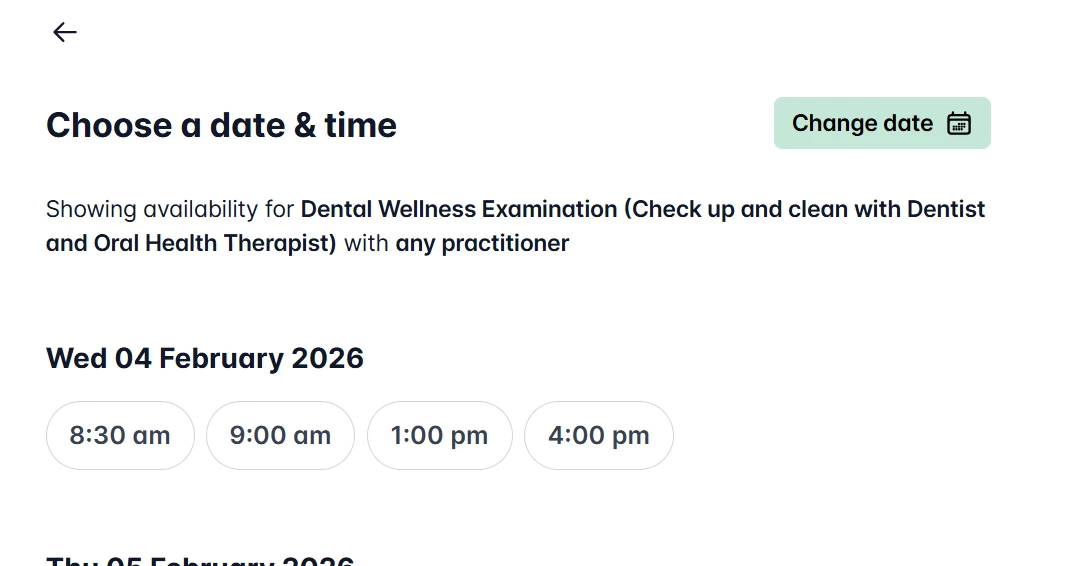
Unfortunately, even ‘unlocking’ the practitioner does not solve the problem as when you get to the “Choose a date & time” page, there is no filter to choose the practitioner - or no way to link our lead practitioner’s patients with the OHT for recalls.
I imagine if I leave the portal as it stands, we will have to manually check every single recall booking from the portal, to ensure its with the correct practitioner - and ask patients to move to a different timeslot as they may have picked the wrong practitioner.
Can we have help with updating the portal so that Dentists with an OHT can have the OHT perform the recalls? This is not a ‘hygiene’ appointment, it is a full check up and clean.
Otherwise we will literally have to switch off the ability to book recalls online, which is really not a good outcome.